Flywheel — how to extract energy
A flywheel is an in-game device that provides you with energy as you move. The more you walk, the more energy you have.
Two types of flywheels
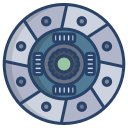
Free flywheel
Given to every player right after registration. Spins up from walking and turns; at maximum speed 10 it gives 5 units of energy every 5 minutes. It slows down on its own over time if you stand still.
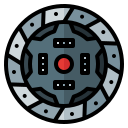
Nurbey Guliya Super Flywheel
A bonus flywheel — bought in the shop or awarded for achievements. It has a reinforced "winding", so it slows down more slowly and runs at a maximum speed of 20: it gives 5 units of energy every 24 seconds.
How to spin the flywheel
The flywheel picks up speed on its own while you move across hexes. A few simple rules help keep it "charged":
- Walk the map. Each new hex you step on adds a little speed to the flywheel. The more hexes you cross, the higher the speed.
- Spin it manually. Tap the flywheel and try to spin it with your finger.
- Don't stand still too long. If you don't move or turn for a long time, the flywheel gradually slows down and starts giving out less energy per tick.
- Don't overheat the flywheel. If you move too fast, the flywheel can overheat and go into emergency cooling mode. Energy generation will temporarily stop.
When energy arrives
Energy accumulates in the flywheel first, and is then credited to the player. You see a blue bar moving around the spinning flywheel — when the bar closes, the energy is credited.
What energy is spent on
The energy accumulated by the flywheel goes toward opening new hexes, building structures, and destroying objects on the map.